

Cloud cost control for IT leaders
Cut cloud waste.
Keep shipping.
Understand your cloud bill, turn waste into Quests, and verify savings. Built-in AI agents help your team find, investigate, and coordinate the work.
Cloud agnostic by design.
- Azure· Available now
- AWS· In development
How it works
From your cloud bill
to a verified saving.
A savings number. An owner for every fix. Evidence in your own billing.
Connect.
Connect Azure with revocable, read-only access. No installed agent. Your team stays in control.
Day 1 · Read-only accessFind.
Your annual savings potential and a list of fixes by category. The report is yours.
Day 5 · Your report to keepFix.
Every Quest names the change, its estimated monthly saving and an owner. Engineers earn XP for completed work.
Your team takes actionProve.
Savings checked against your billing, tied to the person who made the change.
Measured in your billing
Free 5-day Savings Discovery
Your savings potential.
Your next steps.
In five days.
Free. No commitment. Yours to keep.
Your annual savings potential
An estimate of what you could save each year.
The opportunities behind it
The fixes we identify, organized by category.
Our price, before you commit
See whether Thrify makes sense for you.
Five business days after we receive the required read-only access.
Focused Insights
Know what your
cloud bill buys.
Get the cloud cost detail you need, all in one place, without jumping between portal views. Explore costs by resource, service, or tag.
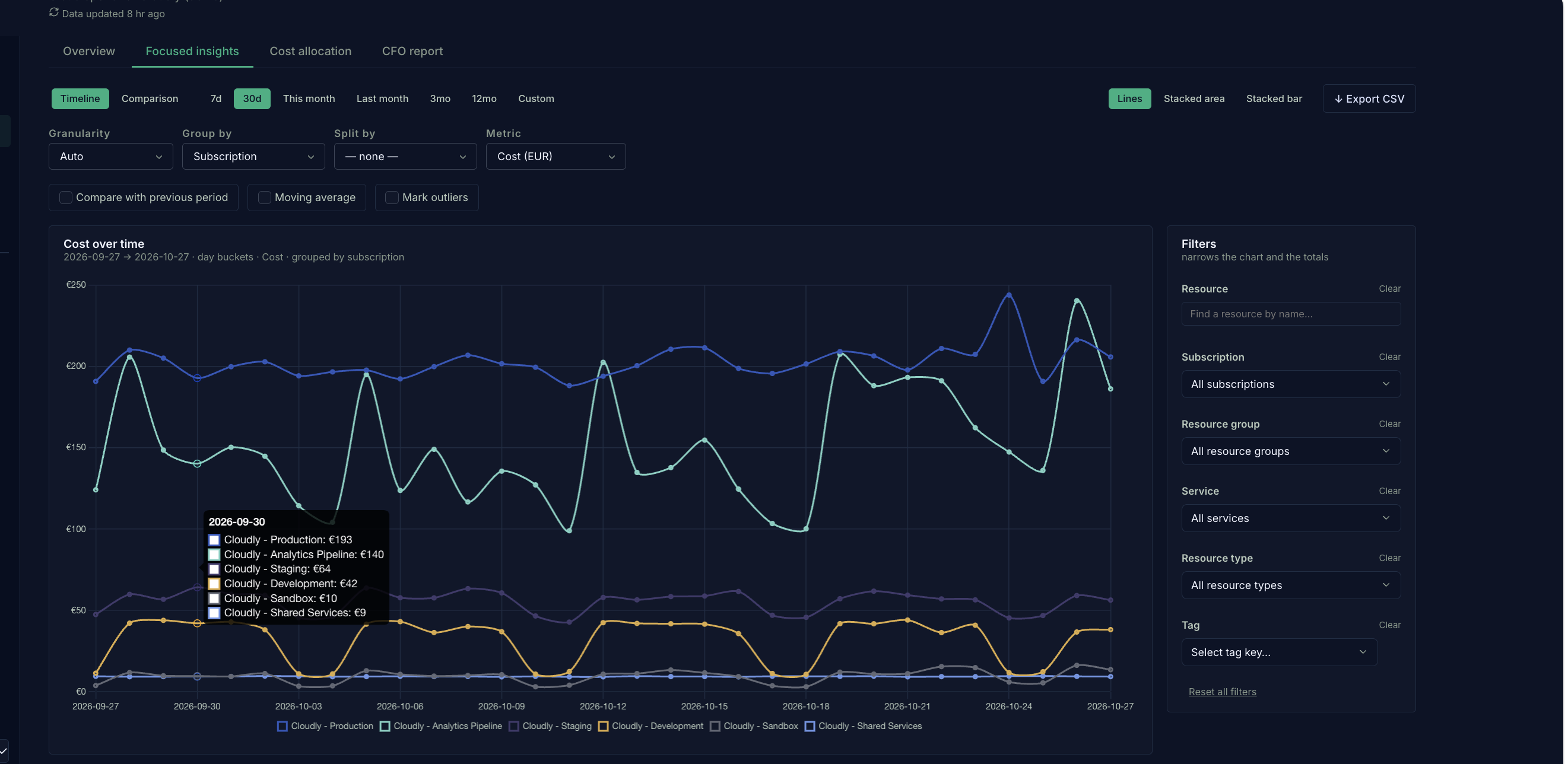
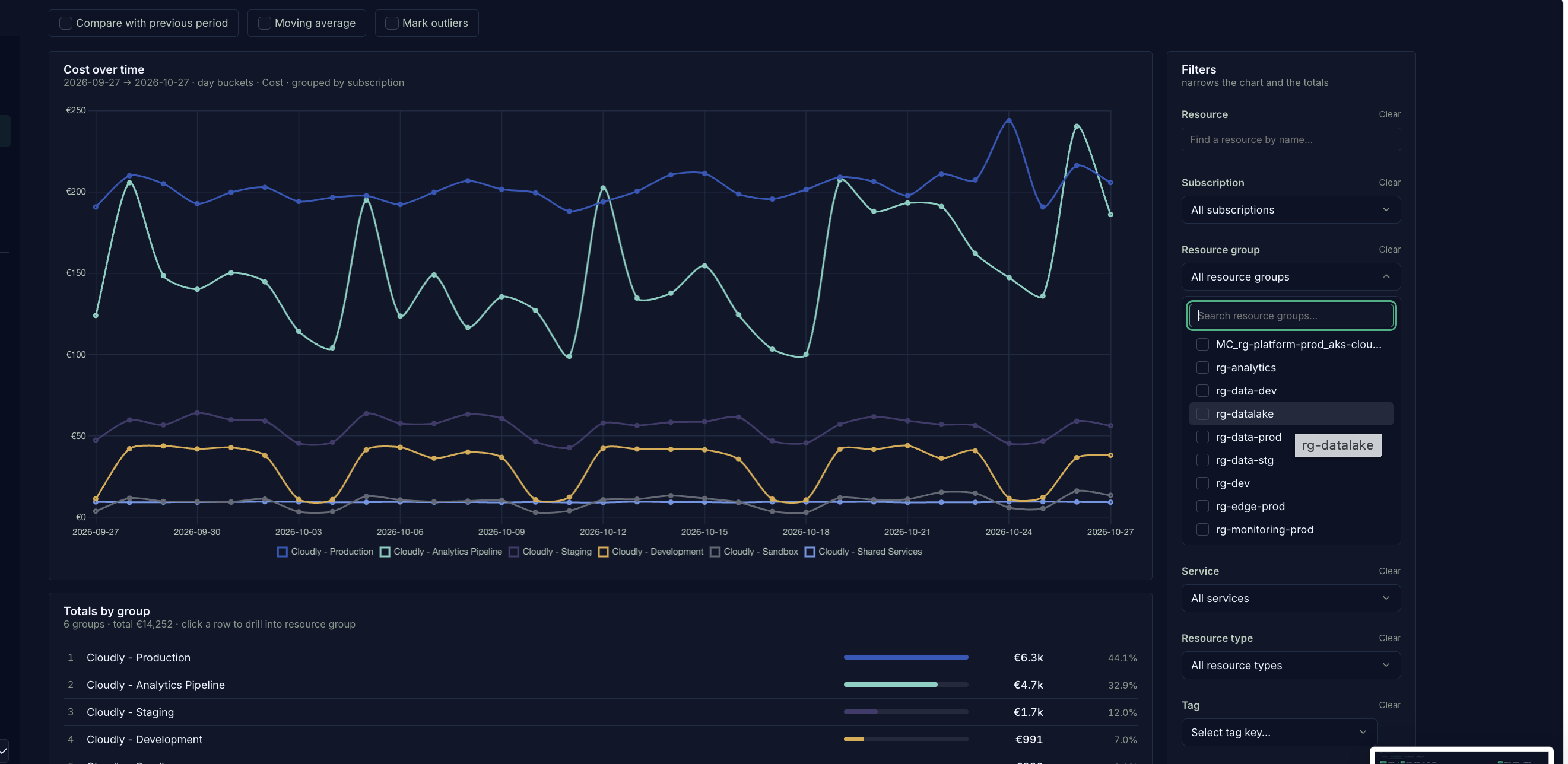
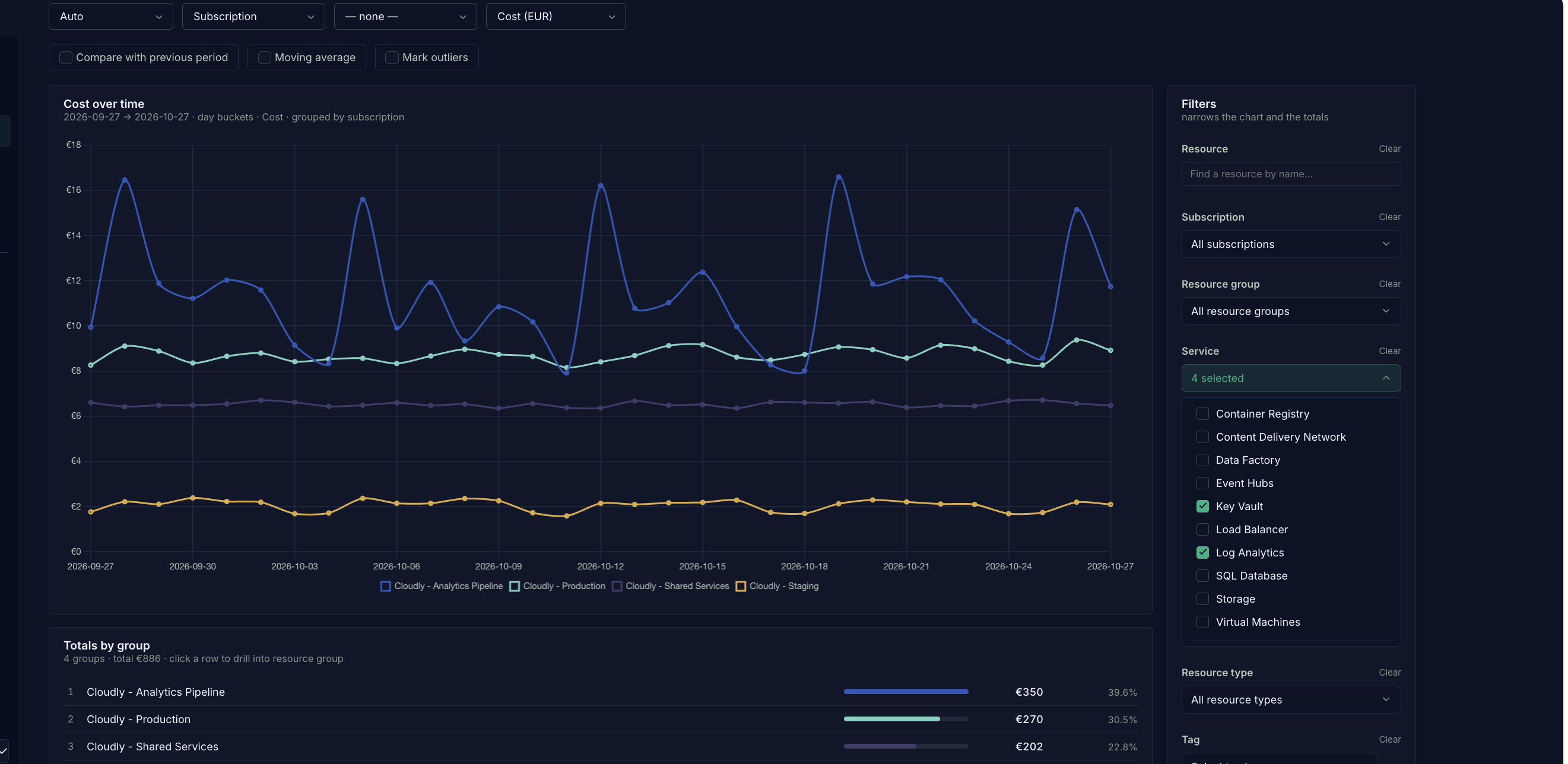
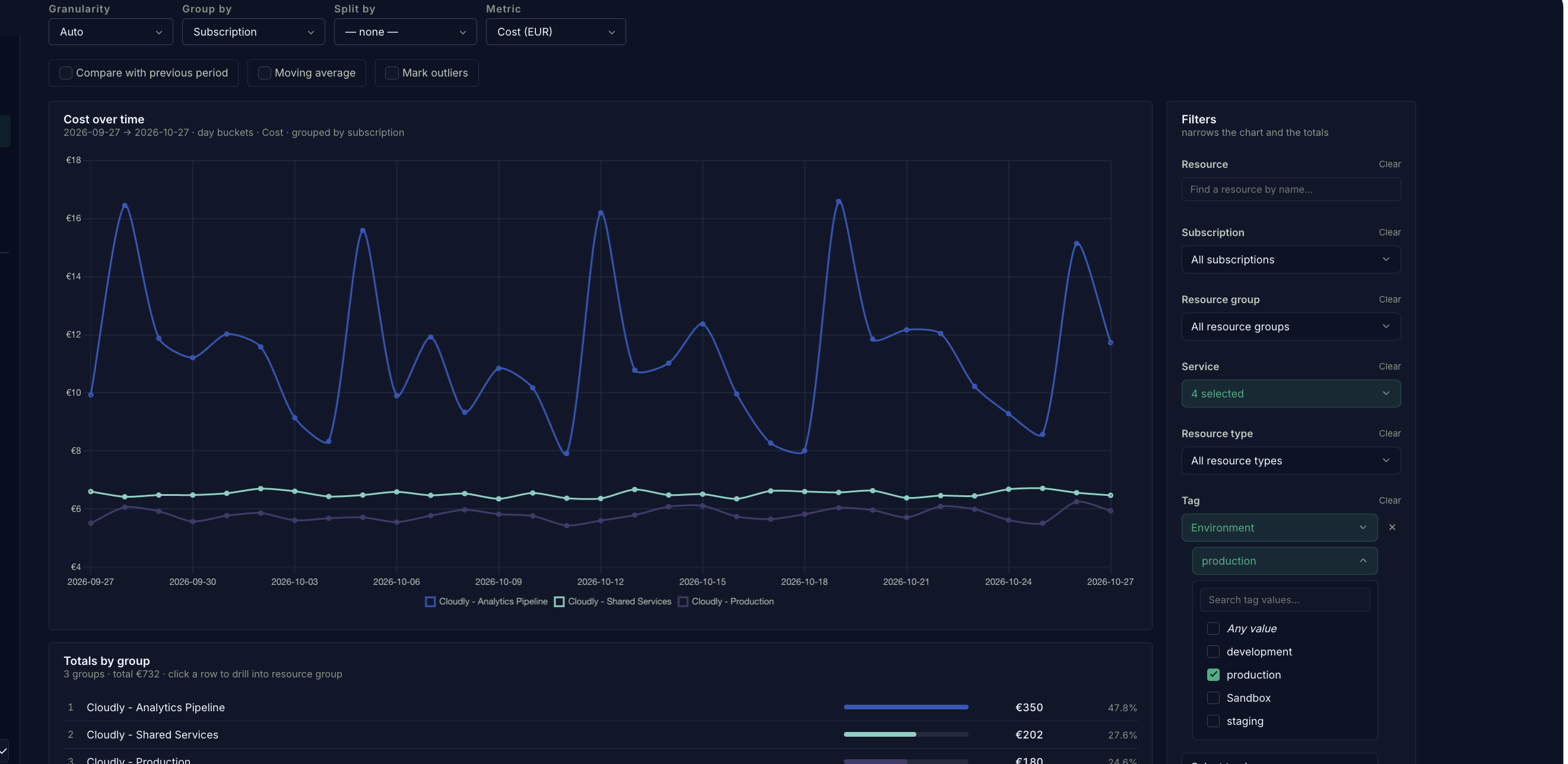
Explore costs over time
See how spending changes across subscriptions. Hover over a date to see the cost breakdown for that day.
Built-in AI agents
AI agents that help turn findings into action.
Find potential waste, investigate the evidence, and coordinate the work, with your team in control of changes.
Thrify Scout
Find the opportunities worth investigating.
Scout flags unusual spending and potential waste across your connected cloud environment, helping your team see where to look next.
Explore Thrify Scout →


Before you ask
Clear answers.
Your environment.
Your approvals.
Your billing as proof.

Keep them. Thrify reads from them. The gap is what happens next: who owns the fix, and did it reduce the bill? Thrify turns findings into Quests with an owner and checks savings against your Azure billing. Savings already planned before signing are excluded from the success fee.
No. If leaderboards do not fit your culture, switch them off. The analytics and Quests still work. Recognition makes cost work visible, but the outcome we measure is the saving in your billing.
Your engineers still approve and make the changes. Each Quest shows what to change and the estimated monthly saving, so the team can prioritize the work worth doing alongside its delivery backlog.
For Azure, you create a revocable service principal in your own tenant with Reader and Cost Management Reader roles. No installed agent and no write permissions. Sign in through Microsoft Entra ID. Your engineers make every production change using your own approvals.
You pay a fixed platform fee plus a success fee on eligible savings verified in your billing. No savings means no success fee; the platform fee still applies. You see the savings potential and our price before you sign.
Thrify is cloud agnostic by design, with Azure available today and AWS in development. If you need AWS support now, factor that into your decision. Compare how findings become owned work and how realized savings are measured, beyond the initial opportunity estimate.
It can. A free Discovery gives you a savings estimate before your next budget decision. Within five business days of receiving the required read-only access, you get potential annual savings and a list of fixes by category. The report is yours to keep.
Customer results
From identified waste to savings that show up in your bill.
Across two Azure customers
€150k
Annual savings potential identified
Our analysis uncovered €150,000 a year in potential Azure savings across their environments.
€50k
Annual savings achieved
Changes implemented within two weeks delivered €50,000 in annualized savings, verified against Azure billing.
Both figures are annual amounts. Two weeks refers to implementation time.
Why we built Thrify
We started Thrify because we watched brilliant engineers ignore FinOps dashboards for years in a row.
Not because they didn't care.
Because fixing cost was nobody's job, and a feature with a deadline always won.
So we built the platform that rewards your engineers to fix it.
This is not a FinOps dashboard. This is not another cloud cost tool. This is not a wrapper around your cloud bill.
Thrify is the operating layer for engineering teams tired of FinOps reports nobody acts on.


The founders
We spent years living this problem.

Benjamin Melikant
Co-founder & CEO

Jana Hronovská
Co-founder & COO

Ondřej Václavů
Co-founder & CTO
JIC startup incubator
Free 5-day Savings Discovery
Know your savings
before you commit.
Your savings potential, the fixes behind it, and our price. If the findings do not cover our annual fee, we will tell you not to sign.

- 01 Pick a 30-minute slot.
- 02 Create read-only access.
- 03 Get your report in 5 business days.
Five business days after read-only access. No commitment. The report is yours to keep.